
Run Your Coaching Business on WordPress
Build programs, let clients book sessions, and handle everything from one WordPress plugin. No commissions. No lock-in. You own it.
1 Plugin
One install. Your whole coaching business.
0% Commission
We never take a cut of your revenue.
100% Yours
Your data. Your site. No external platform.
Everything a coaching business needs
Programs, sessions, client portals, checkout, and admin — all built into one WordPress plugin. No monthly platform fees.
Programs
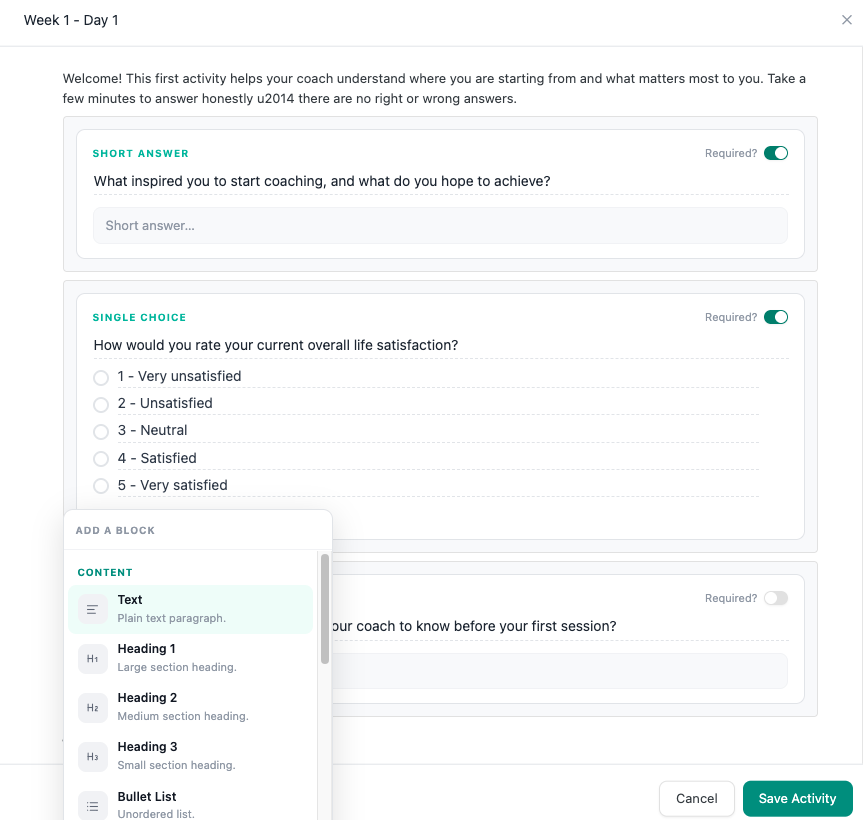
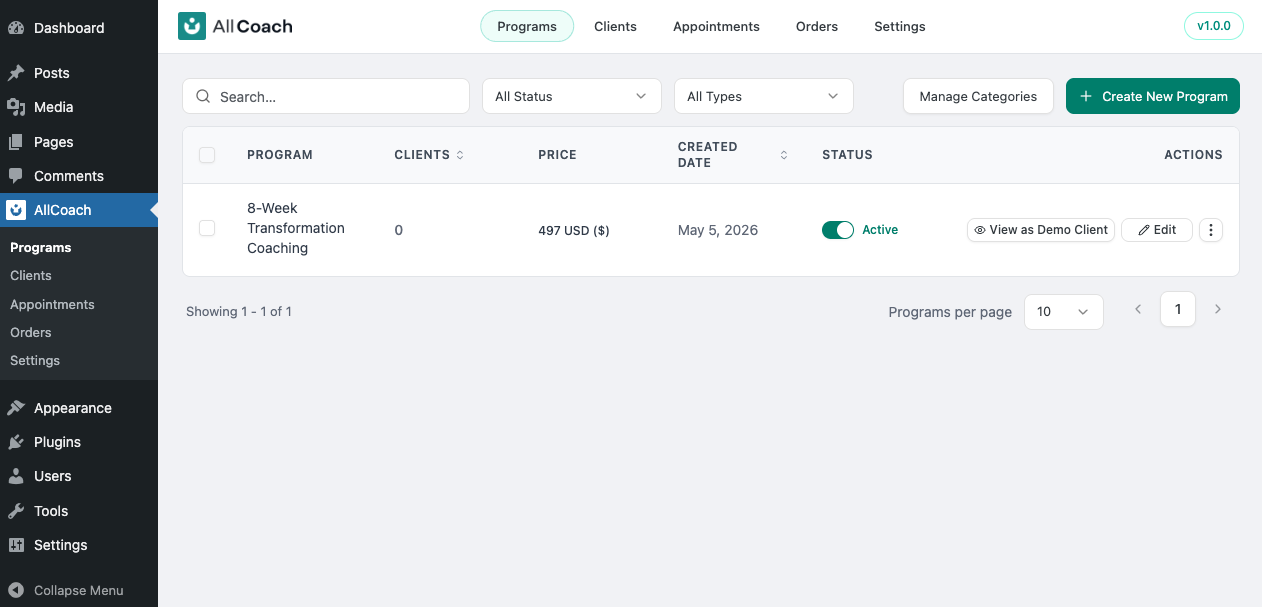
Build structured coaching programs with sections and weekly activities. Add interactive exercises — text answers, multiple choice, or file uploads. Set a price or make it free, cap enrollment, and control draft vs active status.
Sessions
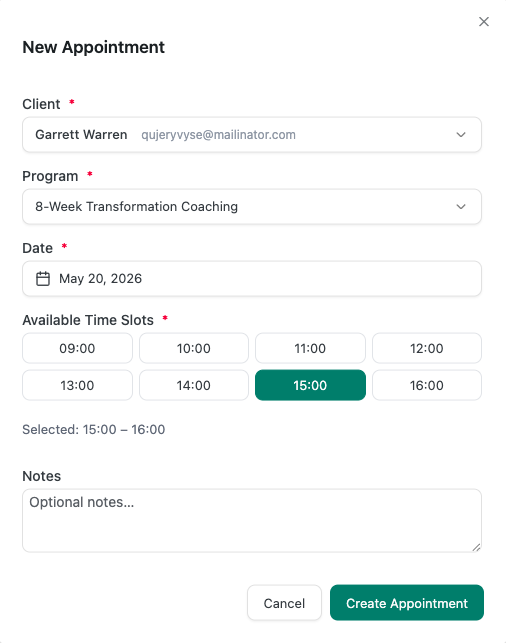
Set your availability — days, times, and buffer between appointments. Clients pick a slot directly from their portal. A Google Meet link is auto-generated, and confirmation emails go to both parties automatically.
Client Portal
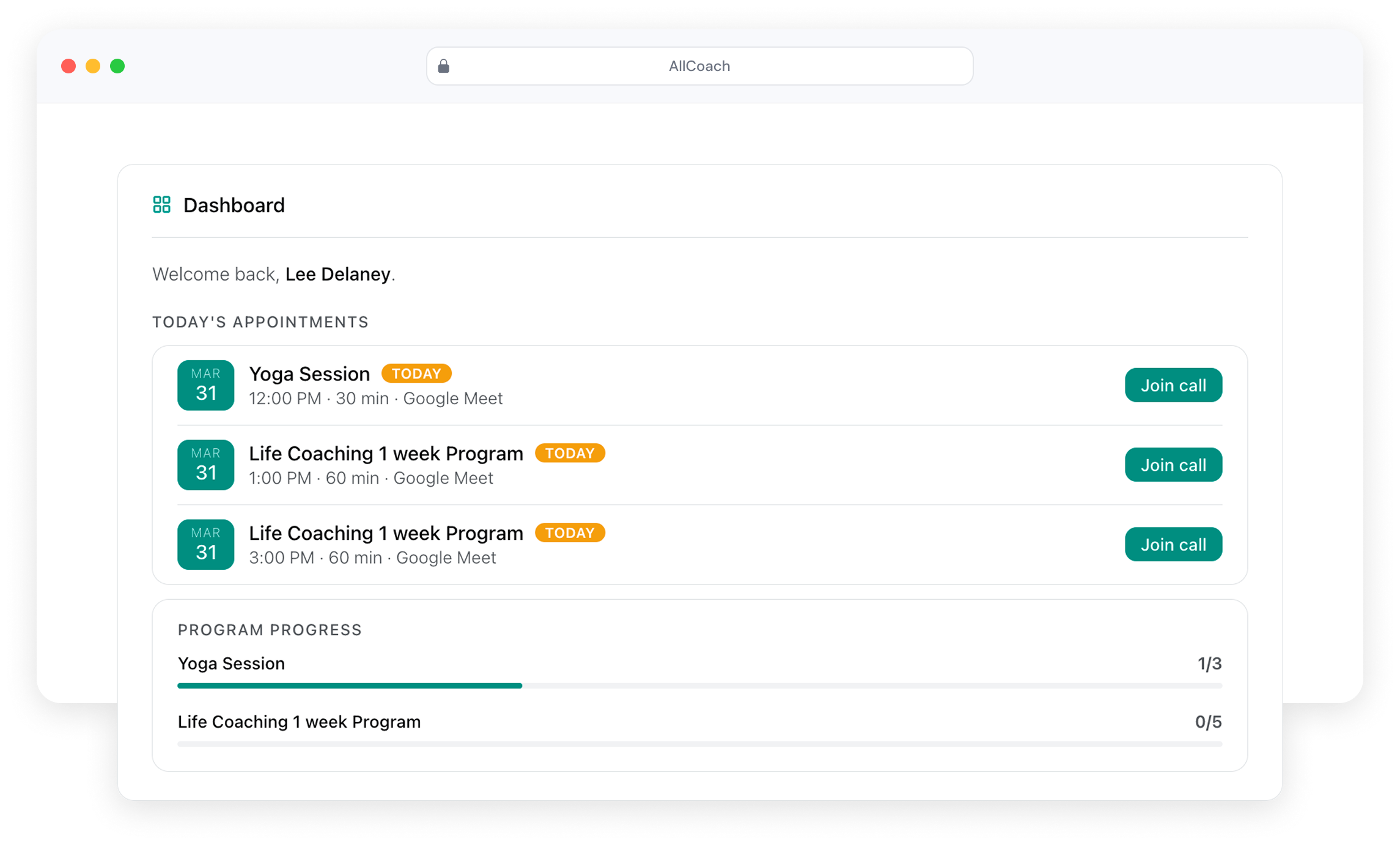
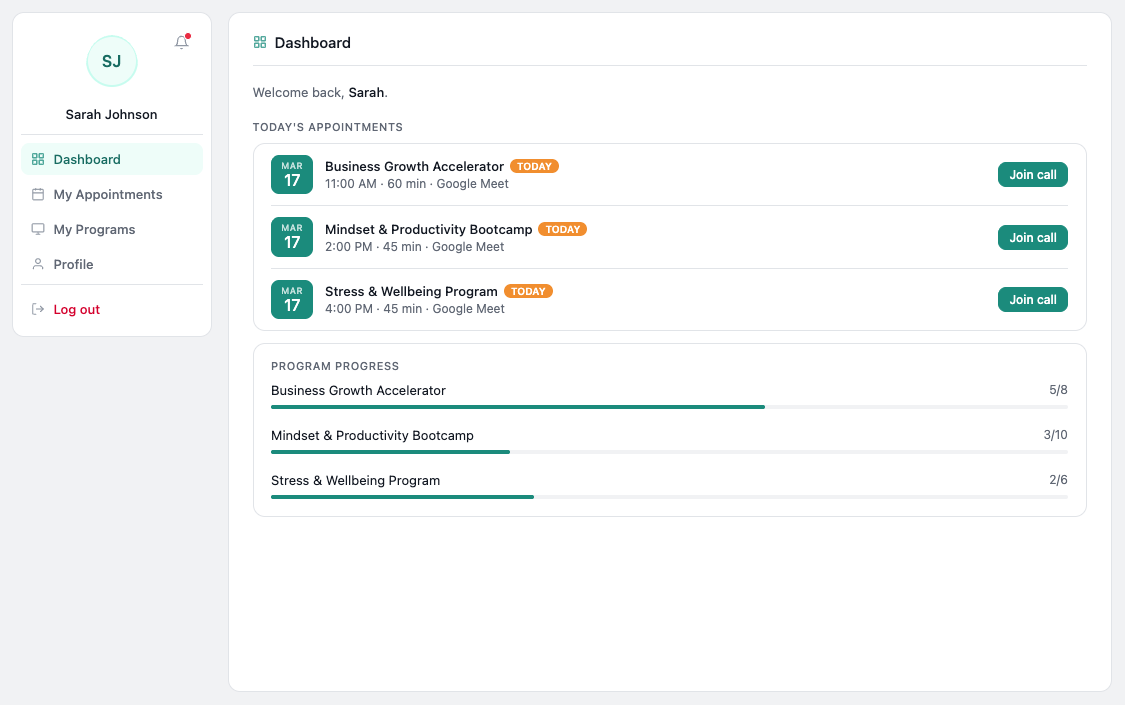
The client portal is auto-created the moment you activate the plugin — no page setup, no shortcodes. Clients see their enrolled programs, upcoming sessions, and week-by-week activities in one place.
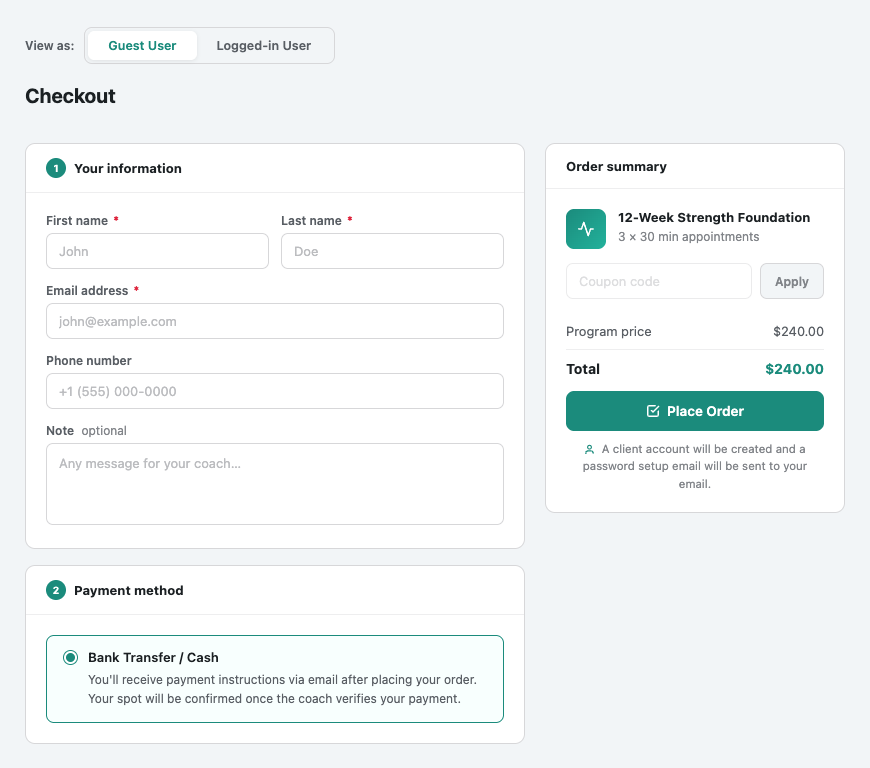
Checkout
Share one link. Your client pays, gets enrolled, and lands in their portal — automatically. No WooCommerce needed. Supports both online payment and offline / manual payment for flexibility.
Admin
A single dashboard to manage every client, enrollment, and session. Read activity responses per client, monitor all upcoming sessions across all programs, and control email notification settings from one place.
Everything running in
under 5 minutes
Watch a full walkthrough — programs, client portal, session booking, and
checkout — all from a single WordPress plugin install.
Up and running in under 5 minutes
AllCoach is built for coaches, not developers. No shortcodes, no PHP, no headaches.
Install the Plugin
Download and activate AllCoach from the WordPress plugin directory in seconds. No setup wizard, no configuration files needed.
Create a Program
Name your program, add sections and weekly activities, set your price or leave it free, and configure session duration and availability.
Connect Google Meet
Link your Google account once. Every booked session automatically gets a Meet link — no manual setup, no copy-pasting.
Publish & Enroll Clients
Share your checkout link or manually add clients from the admin. They land in their portal immediately with access to their program and booking calendar.
Clients Book & Track
Clients book sessions, complete activities week by week, and track their full program history — all from their own portal on your WordPress site.
Simple pricing. Start free.
Programs, sessions, client portal, checkout, and admin — free, forever. Upgrade to Pro when you’re ready for White Label, advanced analytics, and more.
Free
Programs, Sessions, Client Portal, Checkout, Admin, PayPal payments, and basic analytics.
Get Free PluginPro
Everything in Free, plus White Label, Notes, Recurring Activities, advanced analytics, and unlimited contract templates.
See Full PricingStart building your coaching business today
AllCoach is free to start and built for WordPress. Upgrade to Pro anytime for advanced features — we never take a commission, on any plan.
Build programs and let clients book their sessions.
You do the coaching, AllCoach runs the business.